
Have you ever noticed how modern writing apps seem to fight for your attention? It’s like working next to a chatty coworker—you’re constantly interrupted. Many traditional text editors have evolved into bloated ecosystems filled with features you’ll likely never use. That’s where a focused markdown note app like MarkText comes in.
Take a look at your current writing setup:
- Notification badges popping up in the corner
- Formatting toolbars stretching across the screen
- Social sharing buttons begging for clicks
- Multiple panels fighting for screen space
These digital distractions create a noisy environment that pulls you away from what matters most – your words. The simple act of writing has become buried under layers of menus, settings, and “smart” features.
Many writers find themselves longing for the clarity of pen and paper. There’s something pure about that experience: just you and your thoughts flowing onto a clean surface. No spell-check squiggles, no auto-formatting, no AI suggestions interrupting your creative flow.
The core problem isn’t the technology – it’s the approach. Writing tools should fade into the background, creating a serene space where ideas can breathe. They should support your process, not dominate it.
What if there was a markdown note app that felt as natural as writing on paper, but came with the elegance and convenience of modern technology? MarkText offers that balance—giving you a clean, minimalist space without the usual distractions.
A Solution for Distraction-Free Writing – MarkText
MarkText is a writing app that stands out in the crowded market of text editors. Its clean interface eliminates unnecessary toolbars, buttons, and menus that usually distract you.
The Beauty of Simplicity
The beauty of MarkText lies in its simplicity:
- A pristine white canvas that mimics the feel of real paper
- Hidden formatting tools that appear only when needed
- Customizable themes that adapt to your preferred aesthetic
Imagine a writing space where your words take center stage, free from the visual clutter that traditional editors have. MarkText achieves this through thoughtful design choices that keep distractions away while still providing all the necessary features.
Promoting Deep Focus
The app’s interface promotes deep focus through its minimalist approach, which helps users ignore distractions and consistently enter flow states:
“It’s like having a piece of paper that magically understands markdown”
The writing experience feels natural and intuitive – you’ll find yourself reaching flow state faster as your thoughts translate seamlessly to text. Each formatting option stays invisible until needed, letting you concentrate on what matters most: your writing.
Lightweight and Responsive Performance
MarkText’s clean design philosophy extends beyond its looks. The app’s performance remains lightweight and responsive, ensuring your writing sessions stay smooth and uninterrupted. This careful balance of form and function creates an environment where productivity flourishes naturally.
Markdown Made Easy with MarkText
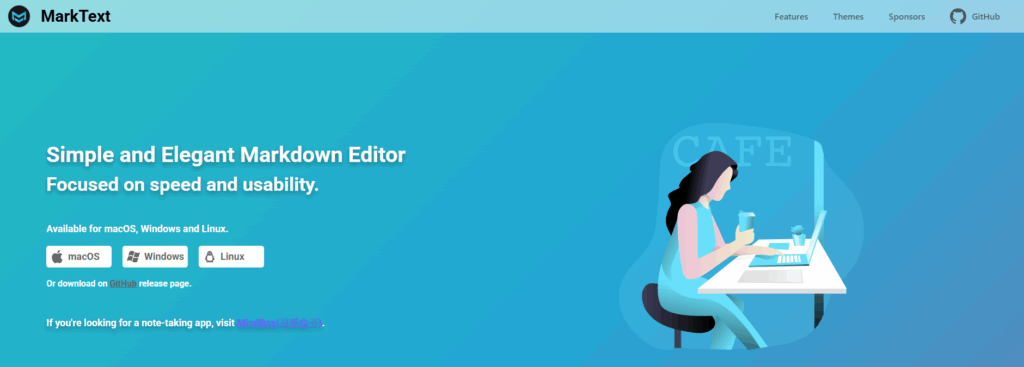
MarkText transforms markdown syntax into a visual delight. Bold text, italics, and headers appear instantly as you type them—no need to remember complex formatting codes or preview switches. It’s like having a skilled designer interpret your writing in real-time.
Intuitive Design
The editor’s intuitive design presents markdown elements through subtle visual cues:
- Headers stand out with clear hierarchy
- Lists form naturally as you type
- Code blocks get instant syntax highlighting
- Tables reshape themselves automatically
Real-Time Preview
The real-time preview isn’t just a feature—it’s a seamless part of the writing experience. Images drop right into place, math equations render beautifully through KaTeX, and even complex elements like footnotes appear exactly where they should.
Gentle Guide for Newcomers
For markdown newcomers, MarkText serves as a gentle guide. The formatting toolbar provides quick access to common markdown elements, while keyboard shortcuts speed up the process for experienced users. Each markdown element flows naturally into the next, creating a cohesive document that’s both beautiful and structured.
Clean Syntax Behind the Scenes
The editor maintains clean, standard markdown syntax behind the scenes. Your files remain portable and compatible with other markdown tools, while you enjoy the benefits of a polished visual interface. This balance of power and simplicity makes MarkText stand out among markdown editors.
The Benefits of Being Open Source and Cross-Platform
MarkText’s open-source nature creates a vibrant ecosystem where innovation thrives. Under the MIT license, developers worldwide contribute improvements, bug fixes, and new features – making the app evolve with user needs. This community-driven approach means you’re not just getting a tool; you’re joining an active project that values user feedback and continuous enhancement.
The cross-platform availability breaks down barriers to entry:
- macOS – Native support for Apple Silicon and Intel processors
- Windows – Seamless integration with Windows 10/11
- Linux – Compatible with major distributions including Ubuntu, Fedora, and Debian
This universal accessibility pairs perfectly with MarkText’s commitment to open standards. The editor supports:
Want to customize the editor? The source code is freely available on GitHub. Tech-savvy users can fork the repository, suggest improvements, or even build their own versions. This transparency builds trust – you know exactly what’s running on your system.
The active GitHub community regularly contributes new themes, features, and localization options. Recent updates brought improved image handling, enhanced PDF export capabilities, and refined typography options – all driven by real user needs and suggestions.
Why Writers, Coders, and Minimalists Love MarkText
MarkText strikes a unique chord with diverse users who share a common appreciation for elegant simplicity.
Writers: Finding Flow in Simplicity
Writers find their creative flow in its paper-like interface, free from the visual noise that plagues traditional word processors. The clean typography and distraction-free environment let words flow naturally onto the digital page.
Coders: Bridging Documentation and Development
For coders, MarkText serves as a perfect bridge between documentation and development. Its support for GitHub Flavored Markdown makes technical writing feel natural, while syntax highlighting and code block features ensure readable documentation. The ability to seamlessly switch between source code and preview modes appeals to developers who value precision and control.
Minimalists: Embracing Thoughtful Design
Minimalists gravitate toward MarkText’s thoughtful design philosophy:
- No Feature Bloat – Every function serves a purpose
- Clean Workspace – Just you and your words
- Efficient Workflow – Keyboard shortcuts and intuitive formatting
- Zero Distractions – No notifications or unnecessary toolbars
What makes MarkText a standout markdown note app is its ability to stay out of your way. It doesn’t nag, ping, or distract—it simply provides a calm, focused environment for writing. Whether you’re drafting code, journaling, or outlining an article, MarkText is the quiet partner that helps your thoughts flow effortlessly.