


Have you ever run into a .webp image that just won’t open? Or spent far too long trying to edit a locked PDF? We’ve all faced the frustration of incompatible file types—and that’s exactly where a powerful file converter website like Convertio comes to the rescue.
Introducing Convertio, the versatile online tool for file conversion that you didn’t know you needed. This free web-based application allows you to effortlessly convert almost any file format into another with just a few clicks. With its sleek and simple design, Convertio may seem basic at first glance, but behind the scenes lies an incredibly powerful system capable of handling over 300 different file formats and an astonishing 25,600+ conversion combinations.
Think of it as your personal digital file expert:
- Convert PDFs into editable Word documents
- Change uncommon image formats into widely compatible JPGs
- Adapt video files for any device or platform
- Extract audio from videos in seconds
No need to download bulky software or create an account—this file converter website makes the process effortless. Just drag and drop your files, choose your desired format, and let Convertio handle the rest. It’s like having a digital Swiss Army knife for every “file format emergency” life throws at you.
Why Choose Convertio as Your Go-To File Converter Website?
There are many file converter websites available on the internet. However, Convertio stands out with its lightning-fast processing speeds and remarkably intuitive interface. Just drag your files onto the webpage, and watch the magic happen in under 2 minutes. No complicated menus, no endless clicking through options – it’s refreshingly straightforward.
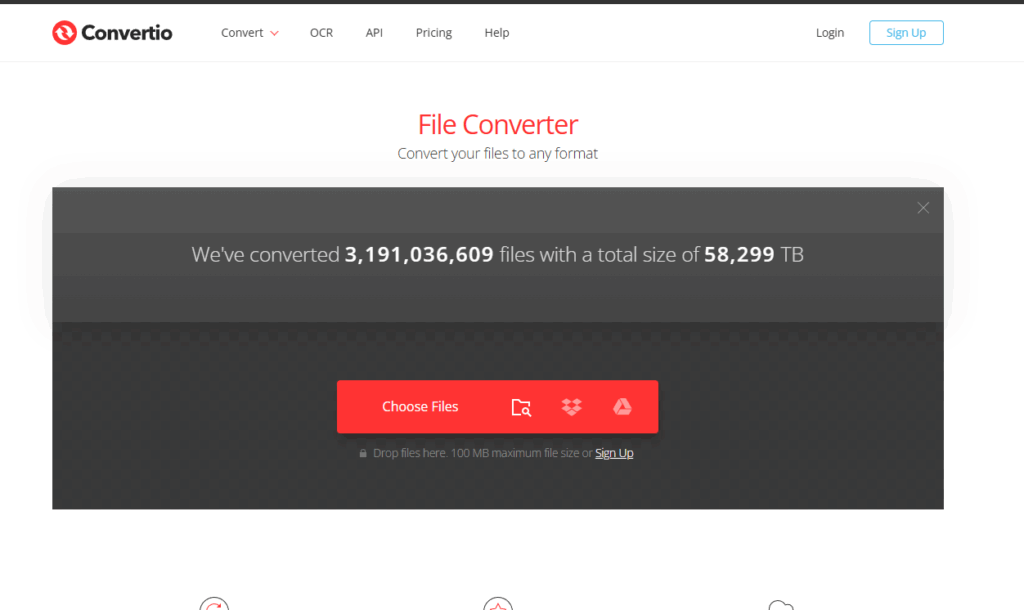
Speed & Simplicity:
- Cloud-based processing that won’t drain your computer’s resources
- Instant conversions for most common file types
- Zero software installation required – works right in your browser
- Compatible with any device, from smartphones to desktop computers
Security You Can Trust:
- Automatic deletion of uploaded files after processing
- Converted files removed from servers within 24 hours
- No registration required for basic conversions
- Secure HTTPS encryption for all file transfers
The platform’s clean, minimalist design eliminates the confusion and clutter typical of other conversion sites. No pop-ups, no unnecessary ads, just pure functionality. You won’t find yourself hunting through menus or decoding technical jargon – everything you need is right at your fingertips.
Think of Convertio as your digital Swiss Army knife – it’s reliable, versatile, and ready whenever you need it. The platform handles everything from basic image conversions to complex video format changes with equal ease, making it an indispensable tool for both casual users and professionals.
Moreover, with its cloud-based processing that ensures security and efficiency, Convertio truly redefines the file conversion experience.
Exploring Convertio’s Versatile Use Cases
Let’s explore some real-world scenarios where this free online file converter becomes your digital Swiss Army knife.
1. Document Editing Made Simple
Got a PDF that needs quick editing? Converting PDFs to Word documents unlocks the ability to modify text, update information, or add new sections. Perfect for updating old resumes, tweaking contracts, or refreshing dated documentation.
2. Professional PDF Creation
Turn any image into a polished PDF with a single click. This proves invaluable when:
- Combining multiple photos into one professional document
- Creating shareable portfolios from artwork
- Converting screenshots into presentation-ready files
- Preparing image-based documents for printing
3. Audio Extraction Magic
Need just the audio from a video file? Converting videos to MP3 format lets you:
- Pull music from concert footage
- Extract podcast audio from video recordings
- Save memorable speech segments
- Create audio-only versions of video tutorials
4. Video Format Flexibility
The video conversion capabilities shine with:
- Custom quality settings to balance file size and clarity
- Aspect ratio adjustments for different viewing platforms
- Format optimization for social media sharing
- GIF creation with precise timing controls
Each conversion maintains the original file quality while optimizing for your specific needs. The platform handles these transformations seamlessly, whether you’re working with high-resolution images or lengthy video files.
These practical applications barely scratch the surface of what’s possible with Convertio’s extensive format support. The tool adapts to your needs, handling both common and specialized conversion requests with equal efficiency.
How to Use Convertio: A Step-by-Step Guide
Let’s dive into the delightfully simple process of converting files with Convertio:
1. Upload Your File
- Drag and drop files directly onto the webpage
- Click “Choose Files” to browse your device
- Select from cloud storage (Google Drive or Dropbox)
2. Select Output Format
- Click the dropdown menu next to “to”
- Choose from categorized format options
- Popular formats appear at the top for quick access
3. Start Converting
- Hit the red “Convert” button
- Watch the progress bar fill up
- Download begins automatically when complete
Pro Tips:
- Convert multiple files simultaneously by uploading them in batch
- Right-click the download button to save to a specific location
- Use the “Settings” gear icon to customize conversion parameters
- Check the small preview window to ensure quality before downloading
The entire process takes just seconds to complete, with most conversions finishing in under a minute. No account creation required – just upload, convert, and download.
Advanced Features for Power Users and Developers
Convertio packs some serious power under its simple interface. Power users can dive deep into custom settings for video conversions, adjusting everything from codecs to frame rates. Want to compress that 4K video while maintaining quality? The advanced compression settings let you fine-tune the balance between file size and visual fidelity.
Video Conversion Settings:
- Bitrate adjustment
- Custom aspect ratio controls
- Frame rate optimization
- Audio track management
- Resolution scaling – dynamic resolution features are also available for a more tailored experience.
For developers, Convertio offers a robust API that integrates seamlessly into existing applications. The RESTful API handles file conversions programmatically, supporting the same 300+ formats as the web interface. A single API call manages the entire conversion process, from upload to download.
API Highlights:
- Secure authentication system
- Webhook notifications
- Batch processing capabilities
- Custom conversion parameters
- Detailed documentation and code samples
The API pricing scales based on usage, making it suitable for both small projects and enterprise-level applications that need reliable file conversion capabilities. Additionally, for those managing files in a more complex environment, our integration with platforms like Uploadcare can significantly simplify the process.
Furthermore, if you’re in the field of surveillance or security, our platform’s compatibility with systems like Axis Camera Station could be a game-changer.
Conclusion
Convertio isn’t just another file converter website—it’s a versatile, no-login tool that eliminates format headaches in seconds. With support for over 25,600 conversion combinations, lightning-fast processing, and strong privacy protections, it’s the go-to solution for anyone tired of fighting with uncooperative files.
Whether you’re a casual user converting the occasional PDF or a power user processing batches of files, Convertio adapts to your needs. The clean, minimalist interface hides a powerful engine that can handle everything from basic image conversions to complex video processing.
Ready to simplify your digital workflow? Give Convertio a try—it might just become your new favorite productivity tool.